Fully custom metadata fields
Text, number, date, URL, file/image upload, rich text, and single- or multi-select lists — per record type, with no rigid record structure.
Librygo is an ILS built around fully custom metadata fields, powerful boolean and visual search, circulation, and a branded public search portal — for libraries, schools, museums, archives, galleries and private collectors.
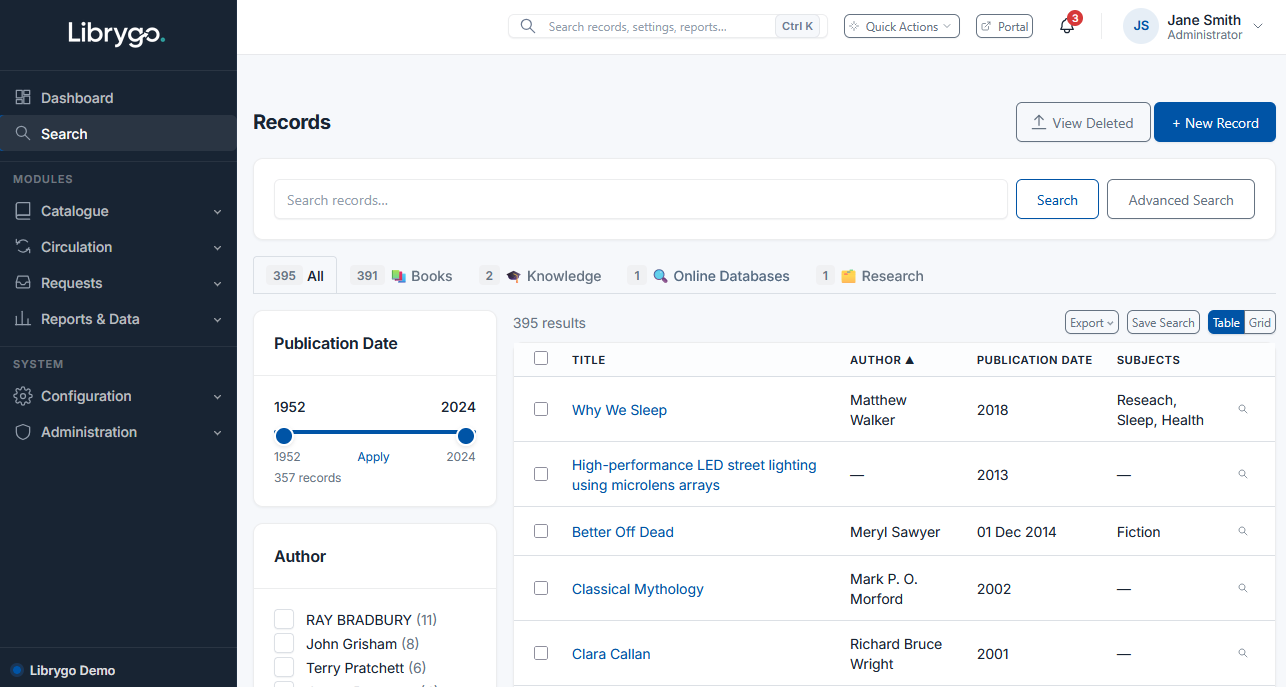
Custom fields, serious search, circulation, and reporting — configured to your collection, not the other way around.
Text, number, date, URL, file/image upload, rich text, and single- or multi-select lists — per record type, with no rigid record structure.
Google-style boolean quick search (AND/OR/"phrases"/-exclude), a visual Advanced Search builder for nested condition trees, relevance ranking, and highlighting.
Loans, holds, and one-click renewals, with custom overdue emails. Members can place holds through the search portal, with self-service renewals if you allow it.
Remove and restore records safely, a visual related-records graph, and "Collections" for grouping items however makes sense to you.
Configurable, per-module access control — reports, imports/exports, custom fields, portal settings — not just admin vs. user.
A public or non-public portal with your own logo, footer, and brand color, so members can search without touching the staff side.
Track database subscriptions, software licenses and vendor contracts as accession records with their own expiry dates — flagged automatically, with built-in "Expiring" and "Expired" reports.
Librygo's custom fields and record types adapt to whatever you catalog — no library-specific assumptions baked in.
Define record types and custom fields that match your collection — no developer required.
Bring in existing records — including MARC21 — generate accession and copy barcodes, and group items into Collections.
Set roles and permissions, turn on loans and holds, and publish a branded search portal for members.
Walk through custom fields, search, and the public portal with our team — no obligation.