Every module a collection catalogue needs
Custom metadata fields, serious search, circulation, reporting, and a branded portal — all configurable per organisation, without touching code.
Fully custom metadata fields per record type
No rigid record structure. Define exactly the metadata fields each record type needs: text, number, date, URL, file/image upload, rich text, and single- or multi-select lists. Model a rare-book collection differently from a museum object or a school textbook, in the same system.
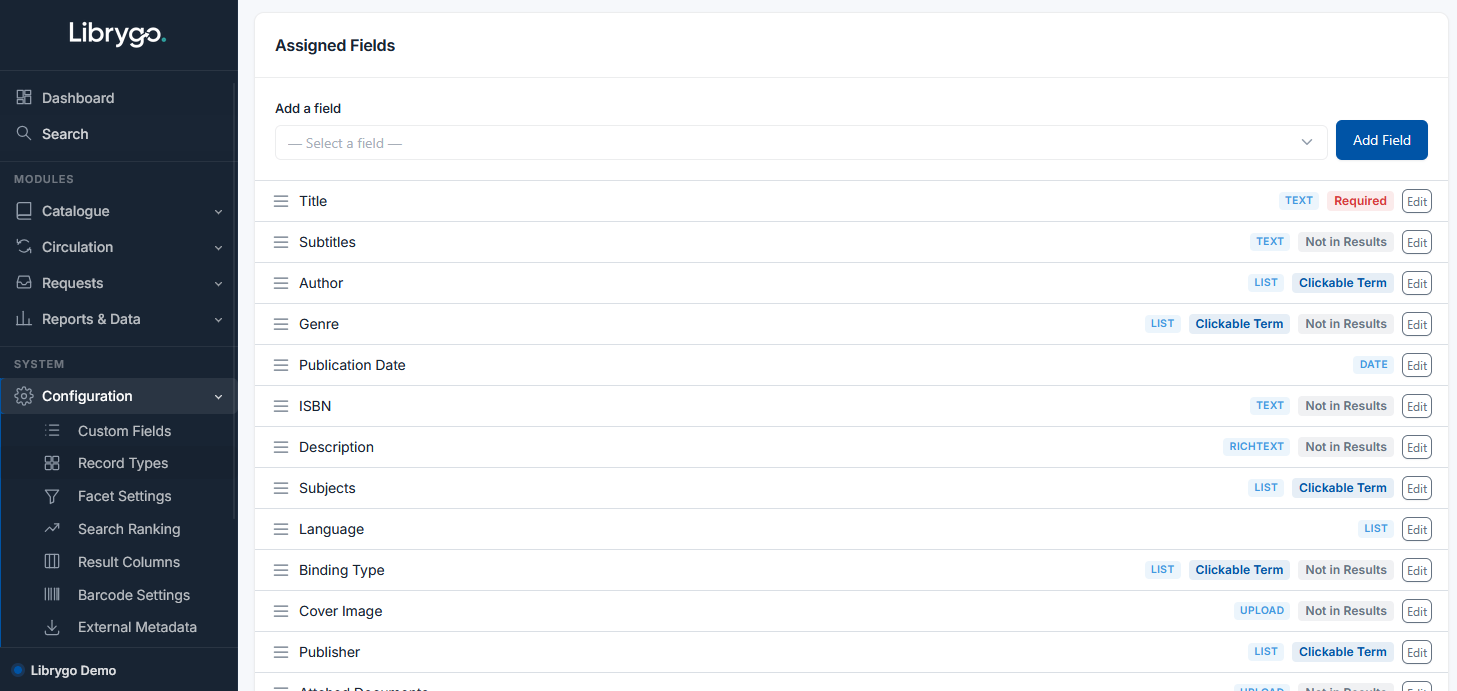
- Text, number, date & URL fields
- File & image uploads
- Rich text fields
- Single & multi-select lists
- Different fields per record type
Search that actually finds things
A Google-style quick search supports boolean operators — AND, OR, "exact phrases", and -exclude — so experienced searchers can move fast. For everyone else, a visual Advanced Search builder makes nested AND/OR condition trees point-and-click. Results are ranked with per-field relevance weighting, and matching terms are highlighted.
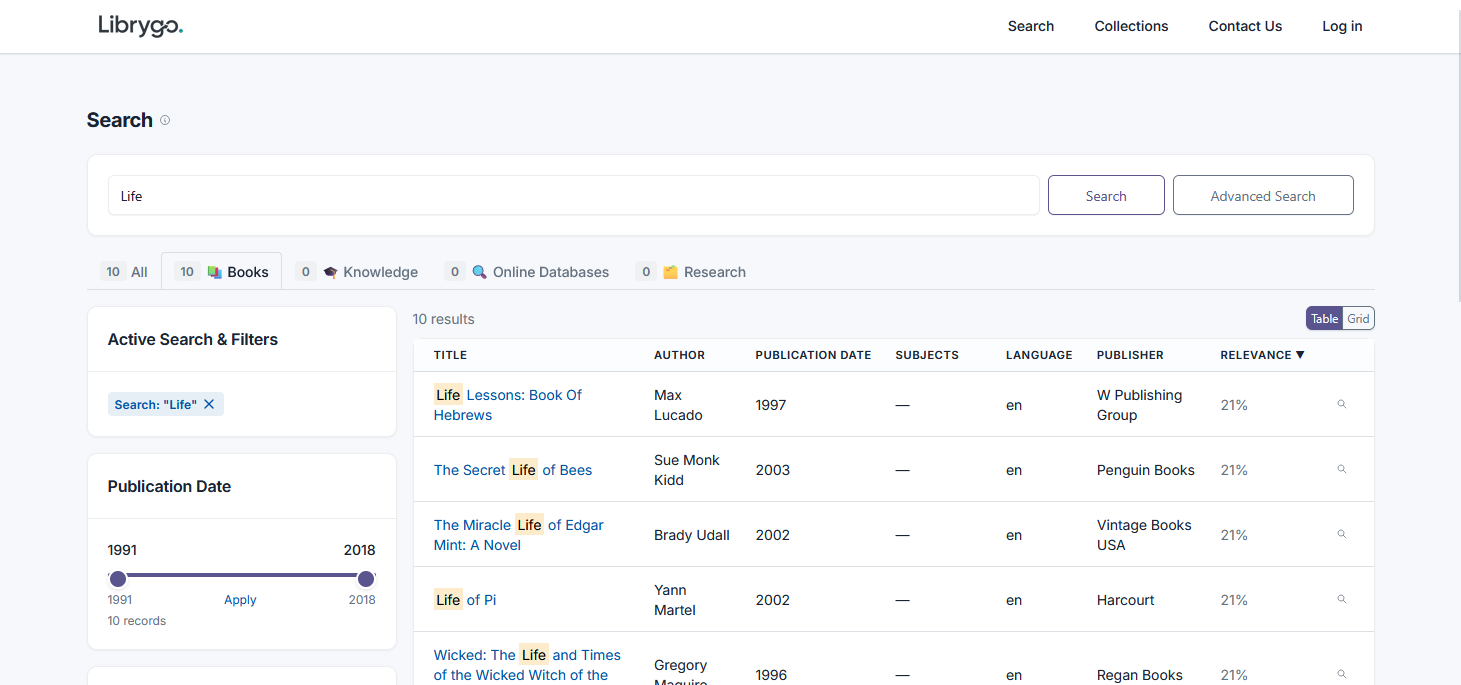
- Boolean quick search (AND/OR/"phrase"/-exclude)
- Visual Advanced Search builder
- Nested AND/OR condition trees
- Per-field relevance-weighted ranking
- Search-term highlighting
Circulation, loans & holds
Loan items, place holds, and send custom overdue emails on your own schedule. Renewals take one click for staff, or can be switched on for members to do themselves through the search portal. Configure long-term loans, mark items as missing, and set fines by loan type — or turn fines off entirely if that's not how your library works.
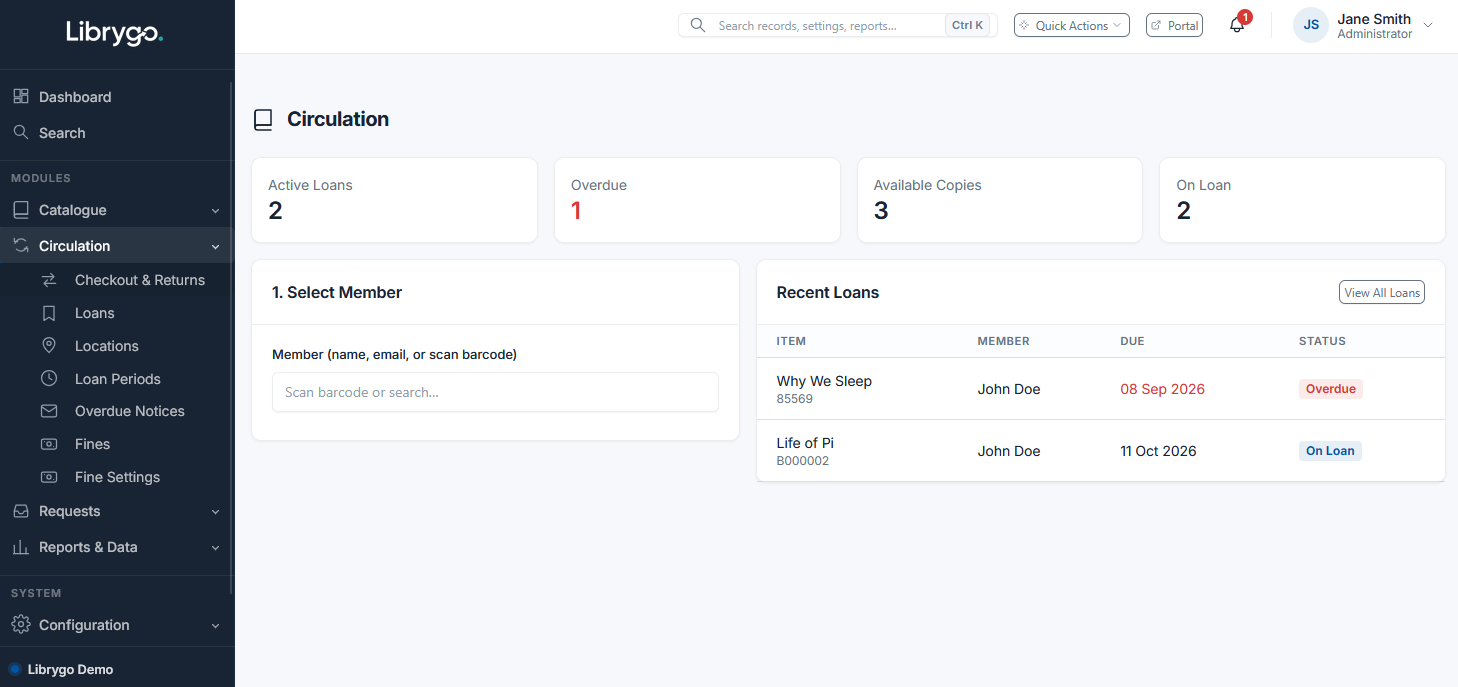
- Loans, due dates & one-click renewals
- Holds — placed by staff or members
- Self-service renewals via the portal (optional)
- Long-term loans & missing item status
- Configurable fines by loan type
- Custom overdue email templates
Records, collections & recovery
Every record can be safely removed and restored, so mistakes are never permanent. A related-records graph lets you visualise how items connect to each other, and "Collections" let you group records into sets for exhibitions, reading lists, or acquisitions batches.
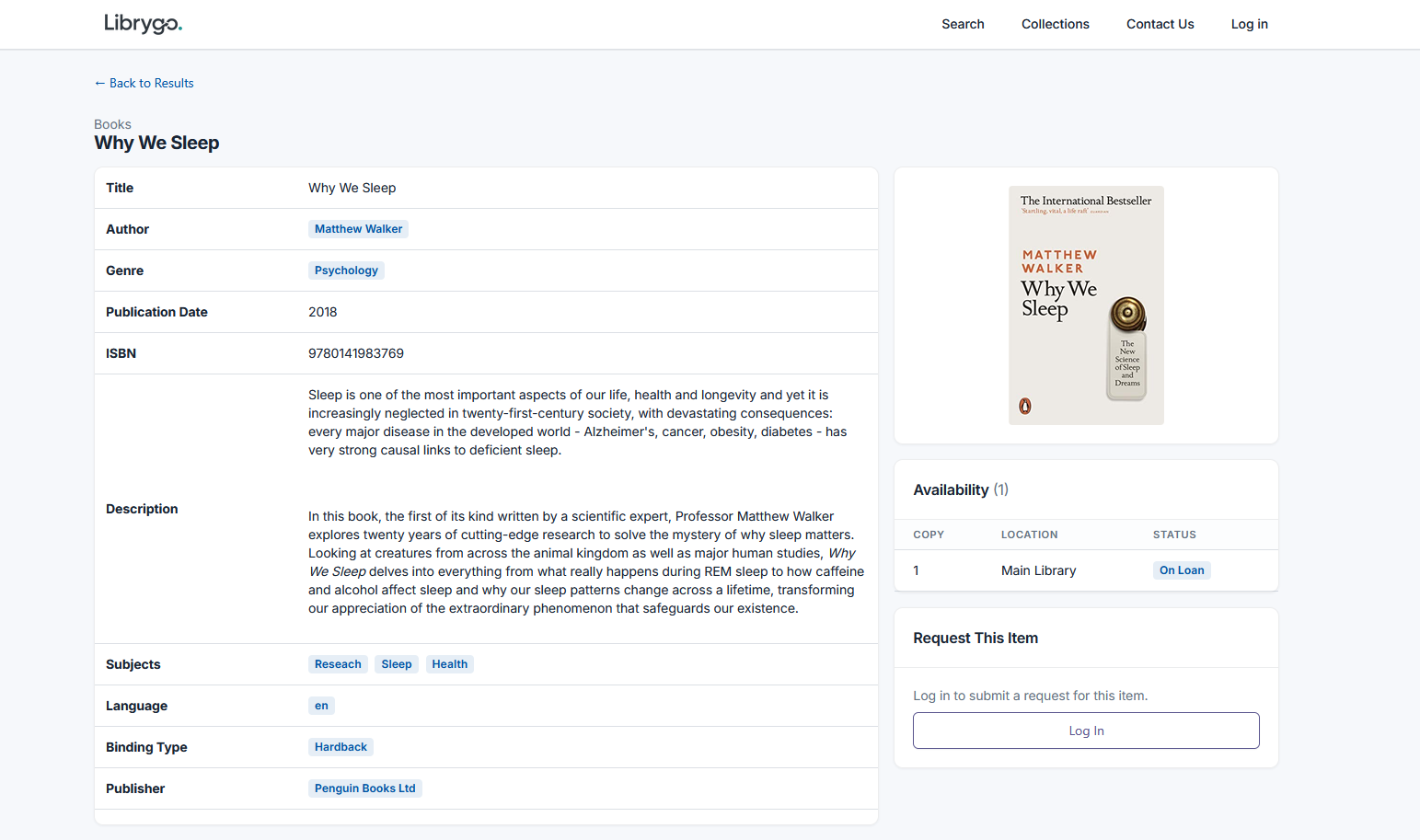
- Remove & restore records
- Related-records graph visualisation
- Collections for grouping records
Roles & permissions, per module
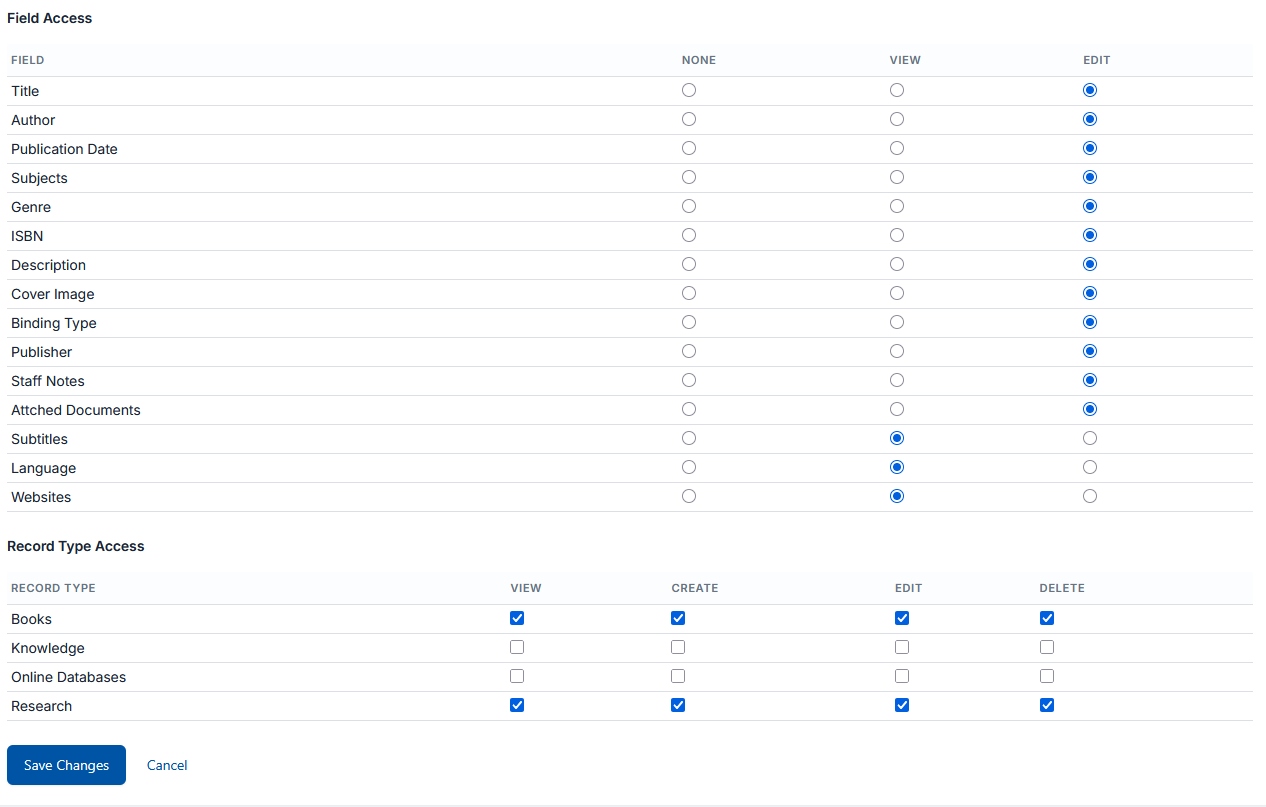
Access control goes well beyond admin vs. user. Grant or restrict access module by module — reports, imports/exports, custom fields, portal settings, and more — so every team member sees exactly what their role needs.
- Custom roles
- Per-module access control
- Granular reports/imports/exports permissions
Cataloguing copy, reports & dashboards
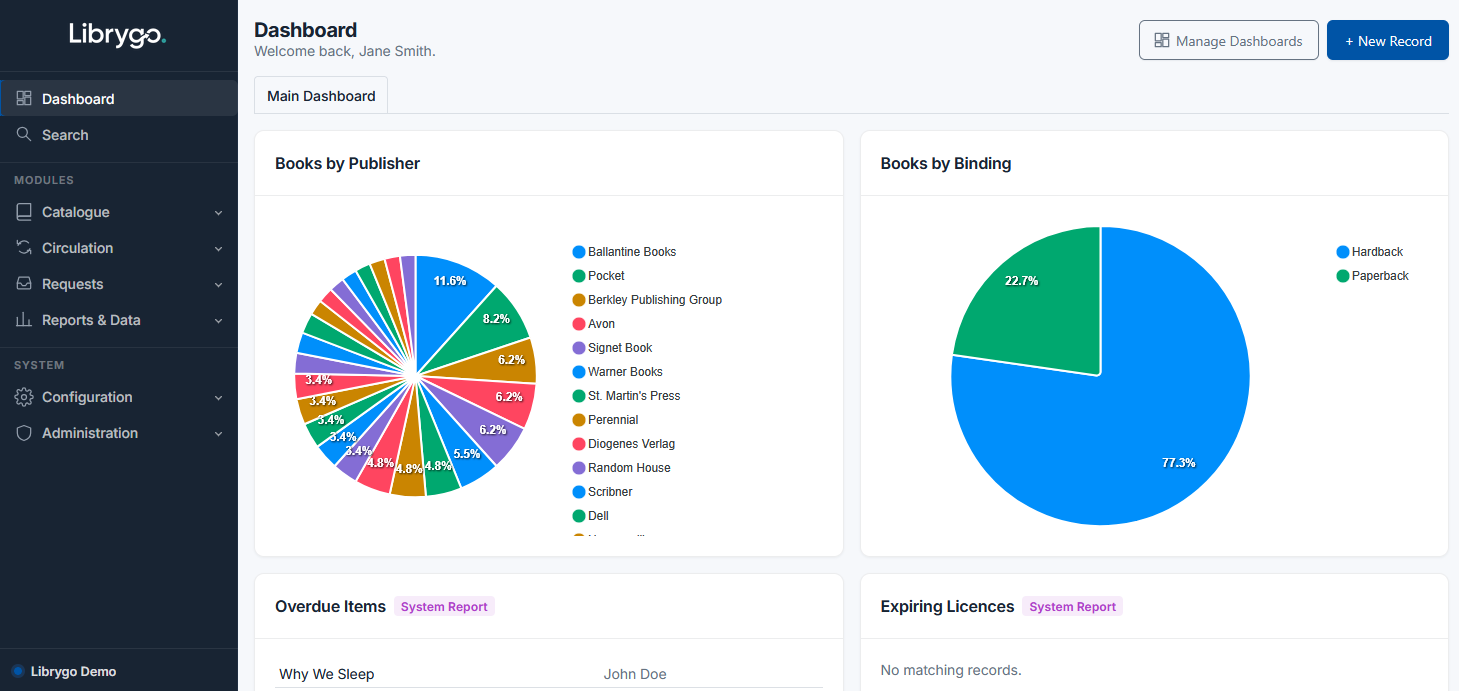
Import and export MARC21 records, pull cataloguing copy via Z39.50/SRU, or look up a new item by ISBN to auto-fill the record. Generate your own accession and copy barcode sequences automatically, and build fully custom reports and dashboards so every team can track the numbers that matter to them.
- MARC21 & Z39.50/SRU import
- ISBN lookup to auto-fill records
- Your own accession & copy barcode sequences
- Custom report builder
- Configurable dashboards
A search portal (OPAC) that looks like yours
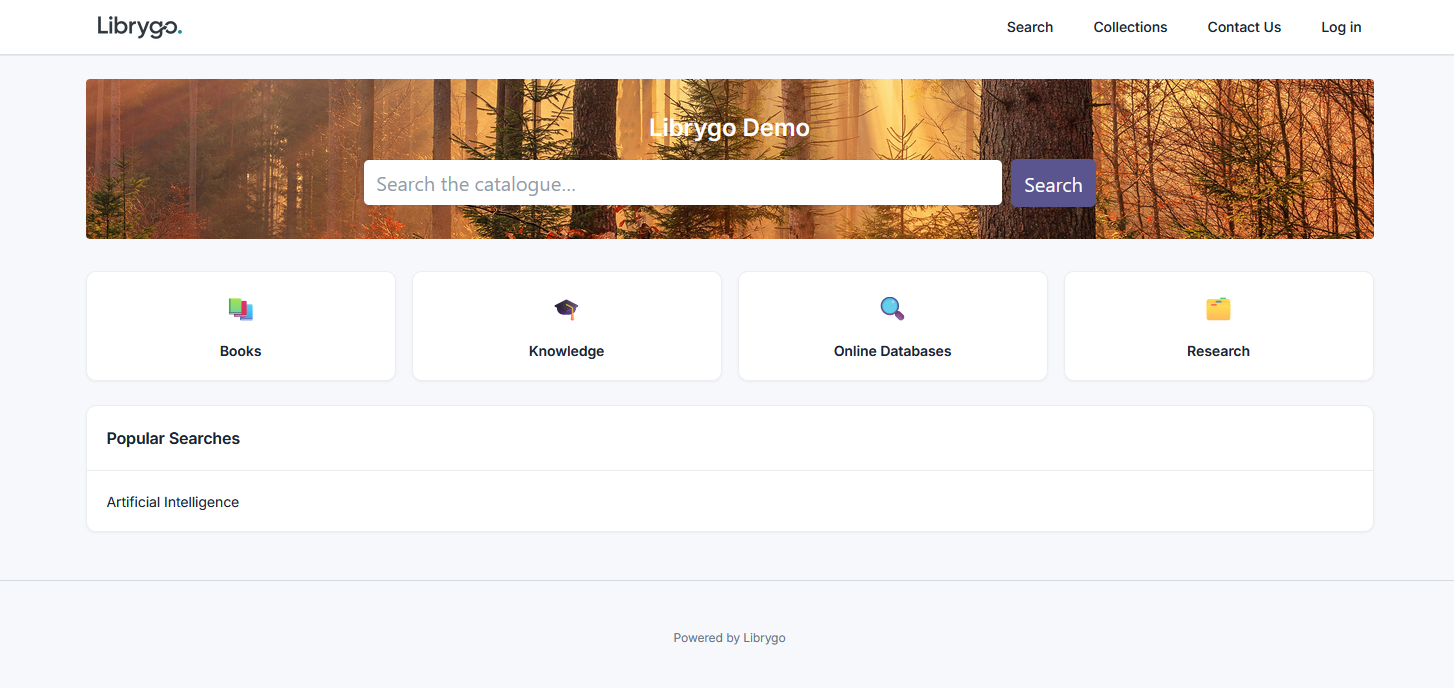
Publish a public or non-public search portal with your own logo, footer, and brand colour, so members and the public can search your catalogue without ever touching the staff side.
- Public or non-public visibility
- Custom logo, footer & brand colour
- Member holds & self-service renewals
Licence & subscription expiry tracking
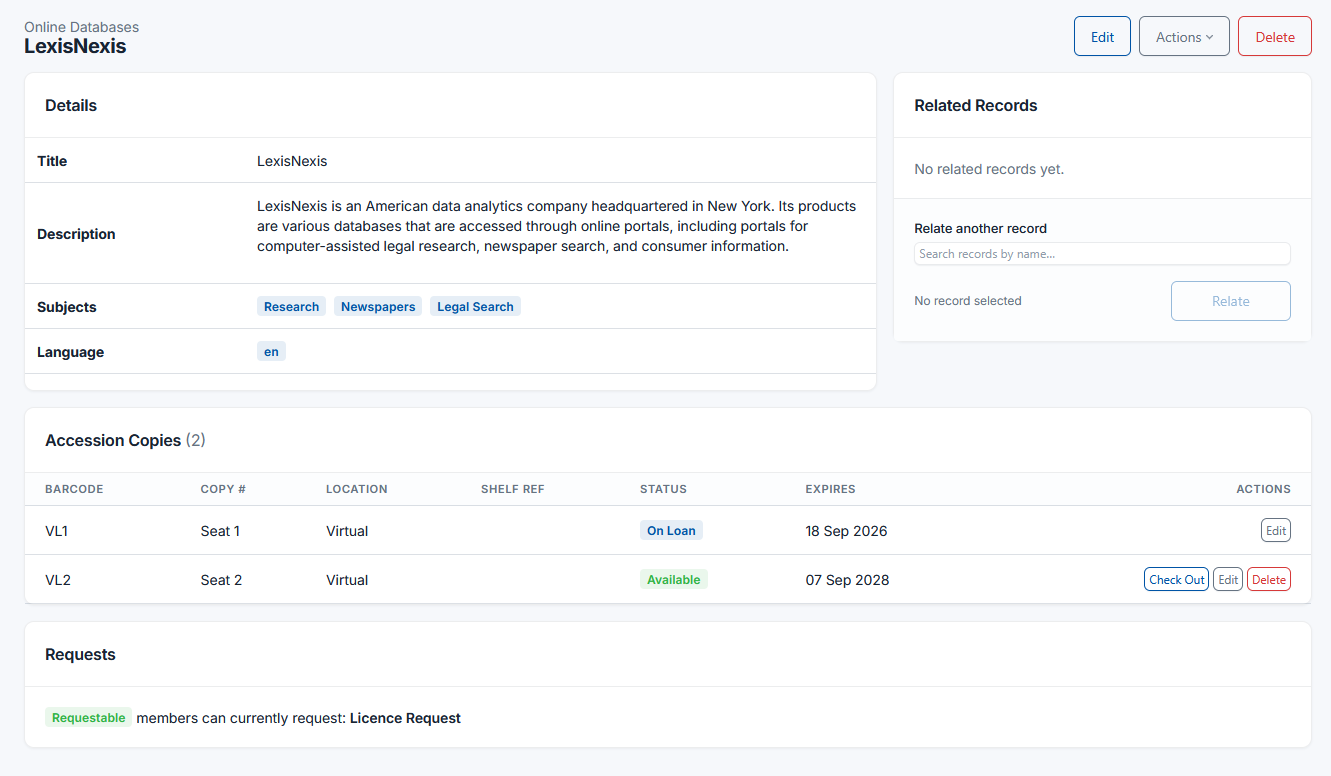
Not everything in a collection is a physical item that gets checked out. Database subscriptions, software licences, memberships and vendor contracts all lapse on a schedule of their own — and Librygo tracks them with the same accession-copy model it already uses for a book with several physical copies. Switch on an Expiry Date field for just the record types that need it, then add each seat or licence as its own record nested under one parent: a "LexisNexis" record can hold five licence seats, each with its own renewal date.
Expired items are flagged automatically, right on the record, so nobody has to remember to check a spreadsheet. Two built-in reports — "Expiring Licences" (due in the next 30 days) and "Expired Licences" — catch anything that needs attention before it lapses, and either can be dropped onto a dashboard as a live widget so admins and budget holders see renewals coming without digging.
It's built for the subscriptions that usually live in someone's inbox: research database seats, software licences, membership passes, equipment warranties. Keeping that information in the same catalogue as the rest of the collection means it doesn't quietly lapse — or disappear — when the person who set it up moves on.
- Expiry Date field, enabled per record type
- Licence seats as accession records nested under one parent
- Automatic expired-item badge on the record
- Built-in "Expiring" (30-day) & "Expired" reports
- Either report as a live dashboard widget
Ready to see it on your own collection?
Request a walkthrough with our team, tailored to your record types.